Happy 100 Days!

100 days have come and gone in first grade land! If you know me, I will jump on just about any opportunity for a celebration in my classroom  (100 days is definitely calls for a celebration). Our plans for the day included some of my favorite activities that I have done in the past: 100 count Froot Loops necklaces (I am just now realizing it's spelled Froot and not Fruit...haha!), writing about what life will be like when we are 100 (compliments to the free Aging Booth app), and tons of free activities from Pinterest! 


I did try two new activities this year that I just have to share with you all. 

1.) FREE STEM activities from Brooke Brown (Teach Outside the Box)--my kids LOVED this. An awesome second grade teacher at my school put the booklets together so I didn't even have the prep this! I passed out the booklets and for an hour students grabbed the materials they needed and got to work. What's great about this activity is that students who did not complete all of the activities could take the books home to complete them this weekend. SO awesome! 

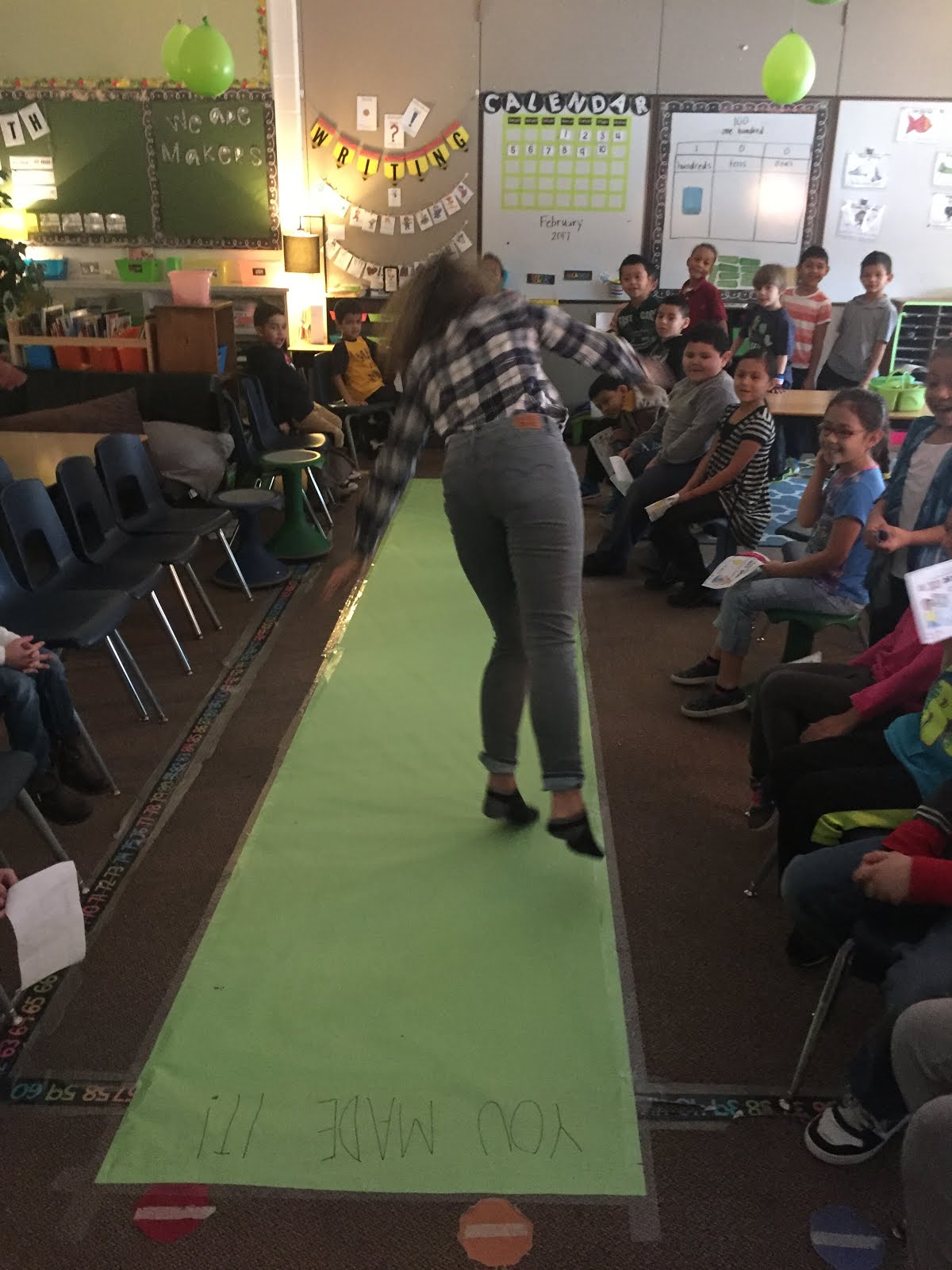
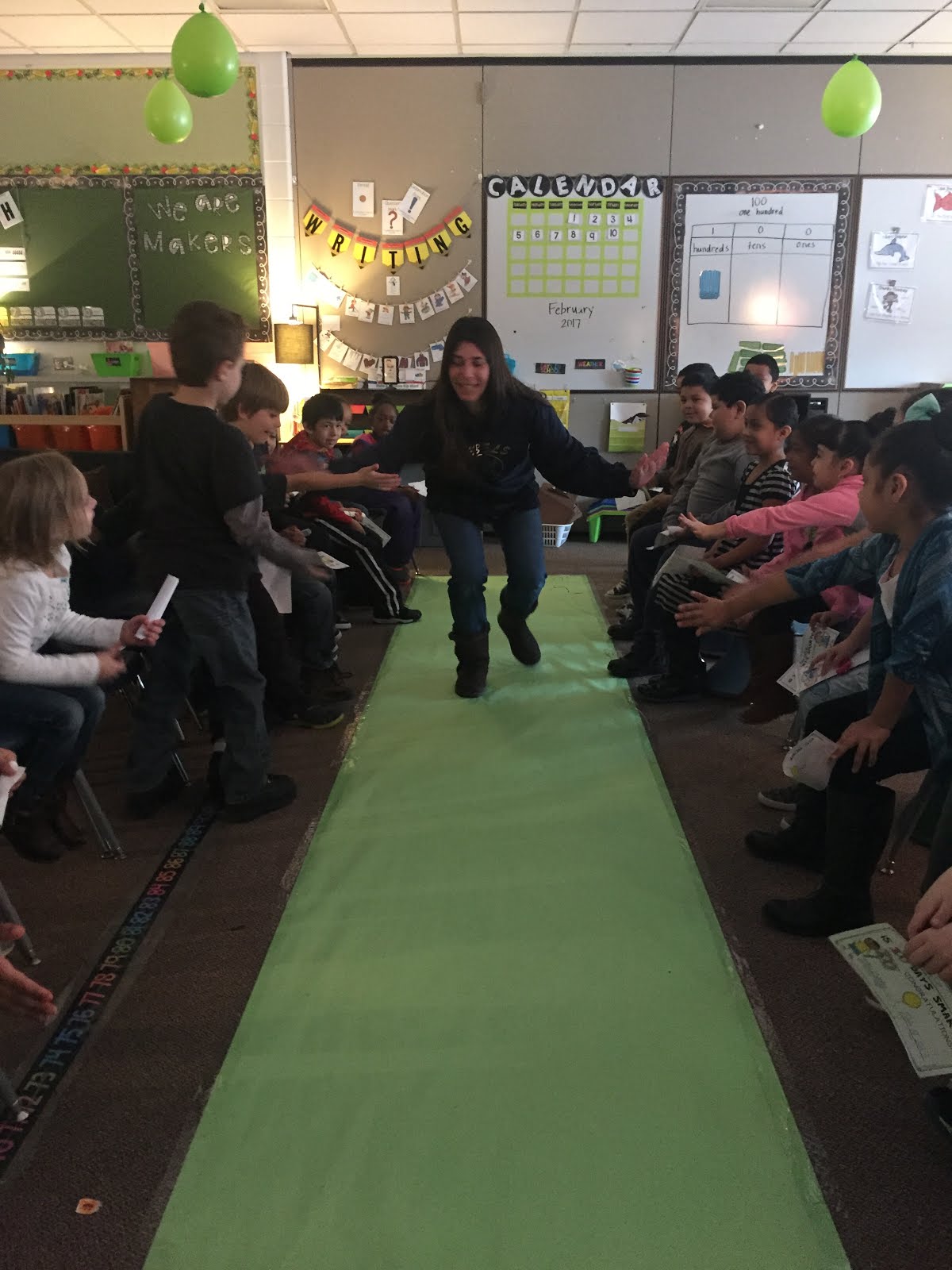
2.) 100th Day Runway -- yeah, you read that right! How this came to be is kind of a funny story. A roll of this amazing green colored paper was delivered to our school and was hanging out in the hallway all week. Every time I walked by it I swore I would find something fun to do with it (honestly only because I loved the color of the green paper so much and I knew I could not wait until St. Patrick's Day). SO with our 100th day celebrations on the horizon, the idea of a runway came to mind. My group this year is special in a sense that they need a lot of team building opportunities (that's code for they usually bug each other....a lot! Haha! I have 18 boys in my room so it's bound to happen). 

I put the paper on the floor, printed free 100th day certificates and explained to students that we were going to cheer really loud for their classmates and celebrate all of their successes. Students were urged to strut their stuff and their best dance moves for us--but they could also just walk down and receive high fives if they wanted :) And let me just say...it...was...AWESOME! Each time I called a student to walk down, the class roared with excitement and congratulations. Even my shyest students had a blast with it. Check out some pictures below.


We also had some other teachers drop by to strut their stuff and celebrate (and yes that's me doing the worm)! :) 


I challenge classrooms of any age to give this a try--it was a great way to acknowledge each student and make everybody feel good. We will definitely be doing this on the last day of school (hopefully there is still some green paper left! :) ).

Happy Teaching and Happy 100 Days!! 


The Robot you NEED in your classroom!

This year, I began a coding/programming after school club! Pretty exciting stuff...it has been a blast so far. The kids (from what I can tell) love it, too! This week I had a second grader come up to me and say, "Miss Stasiak, 5 days!!!" I had no idea what he was referring to until he said, "What robot are we learning about this time?!" Those little things make all the extra time and planning worth it!  As the year progresses, I cannot wait to share all of the awesome coding/programing resources our school has received. However, there is one robot I can't wait to share with you...Blue-Bot (or Bee-bot)!! Blue-Bot and Bee-bot do the same exact thing, but Blue-bot has a Blue-tooth that allows him to connect to a tablet or PC.

The bots have command keys to move them forward and backward, left and right to help students practice sequencing, directionality, problem-solving, counting and communication skills. They simply click the buttons on the Blue-bot and press GO! The bot then processes the commands and moves around the mat. You can also use the Blue-bot iPad app to program him that way. I found that students enjoy both ways--it really just depends on what the student prefers.

On the blue-bot site, you can find various mats to purchase for students to interact with. There are shapes, letters, numbers, mazes and more!


However, if you buy the blank card mat, you can put any cards you'd like on the map. The grid has a thick, plastic layer on top so whatever you add to the mat will stay in place. When you are done, simply lift up the plastic layer, remove the cards you used, and add different cards!


SO I tried this with my class for the first time this week and it. was. a. HIT! I have honestly never seen my students that excited about word work before! We tried a simple review activity--I filled the mat with CVC words and pictures. With a partner, students had to give their partner a "mission."

i.e. "Ok Matt--you need to get Blue-bot from the word six to the word jet. Go!"


Students then have to read and find the words they are looking for, and program Blue-bot to do what he needs to do. The first couple tries, students would program the bot incorrectly--and it was so awesome to see other students saying, "Oh I know what you need to do--try this!!" Towards the end of the activity, students were seamlessly programming the bot and reading like crazy! Check out some pictures of the fun we had below:


And you have to watch this cute video of two of my kids celebrating their Blue-bot success! <3

Now, I'm sure you can imagine the possibilities in the classroom with the card mat. I could find cards to add to the mat for pretty much any content area, standard, lesson, etc. The teacher next door saw what we were doing and thought it was as cool as we did. So she tried it with her students the next day during math class! Students had to find a read and find different two-digit numbers--and they loved it.

Quick Tip:
-Tell your students Blue-bot moves on his own and is not to be used like a race car (i.e. he should not be pushed around the mat with your hands). It could hurt his wheels!!

I am urging you to try this fun activity for you students--write a Donors Choose or talk to your administration and get a Blue-bot for your classroom!!

Happy teaching!


But first, let me take an ELFIE! #TechTheHalls

It is time to #TechTheHalls! It you are looking for a fun and silly way to "ELF" your students this week, here is how:

Step 1: Take pictures of your students (you will just need a picture of their face).


Step 2: Download these FREE apps: Elf Booth and Pic Collage. 


*Thank you to my awesome co-worker, Carol Jewell, for sharing the Elf Booth app with me! We filled out "Elf Applications" this week and she had the awesome idea of actually turning them into elves after! Carol rocks!*

Step 3: Select the photos you took of your students through the Elf Booth app and add "items" to your students pictures. Set some time aside for giggling. Be sure to SAVE the finished product! 


Step 4: Now use the app Pic Collage. Choose "freestyle," click the green button that says "photos," and select your student elfie. Then click on the elfie, select the blue button that says, "clip" and start tracing the photo with your finger!


Step 5: Print! You can print the elfies individually or put them in one giant elfie group photo! 

Be sure to share your final products with me on Twitter or Instagram! I want to see them!!! 

*Disclaimer: This can also be used with co-workers--teachers and administrators can have fun, too!!!*

Wishing everybody a relaxing holiday season!! Happy Teaching!!! 

Turkey Writing FREEBIE!

I love to create silly writing opportunities for my kids because their writing is rich in creativity when I do so! So please enjoy this Thanksgiving writing freebie by clicking below or grab it at my store :) #savetheturkeys 


Thanksgiving break is a week away! Wahoo!

STEM Buddies

This year, one of my co-workers, Eryn Welch (fabulous, fabulous teacher!!!!), and I decided we would pair up our classes for STEM buddies! I teach first grade and she teaches kindergarten--so we saw this as a great multi-age opportunity for our kiddos to work together! It gives my first graders the chance to be role models and big helpers--which they love. We meet three times a month on Friday's for an hour to collaborate, think critically, problem solve, reflect and...HAVE FUN! It also gives me the opportunity to work with Eryn and learn from her as an educator--she has fantastic classroom management and I am always borrowing stealing ideas from her :) 

So now, I want to take this opportunity to share an awesome primary (but really...I could see any grade using this resource...even as a team builder for educators!) STEM resource. It comes from one of my favorite educators that I follow, Brooke Brown, who runs a blog called Teach Outside the Box. On Teachers Pay Teachers, you can find her 9 month STEM Challenges bundle--and it will not disappoint. Brooke's bundle includes 27 STEM challenges (3 per month)--they come with detailed instructions, photos of sample solutions, teacher tips and guides, vocabulary cards and student recording sheets. What she has put together is simply amazing...the monthly resources are themed and the kids have a BLAST with them!! Thank you so much, Brooke, for sharing your knowledge and resources with us. 

Last year, my first grade class completed the challenges and had SO much fun. I watched not only their problem solving skills improve before my eyes, but their social skills. They worked in groups and practiced explaining their ideas/thoughts respectfully, having an open mind and compromising. Those are some 21st century skills they need to be successful contributors to society :) My class this year is challenged a little bit more by working with the kindergartners--and it's been great! Eryn and I created a Google Doc and we buddied up our kids. Each time we get together, they find their buddy and get right to work! It's nice to see the relationships form and how much more comfortable they get as the weeks progress. At the beginning of each month, Eryn and I take a few minutes to decide what order we will do the tasks in, what materials we need (a total b.o.n.u.s. about STEM challenges--most of the resources you need are already somewhere in your classroom), and then when it's time to meet we get together and watch the ideas our kiddos have come to life!

Enough of my blabbing, check out some of the pictures from last year and this year STEM successes! Then go and grab Brooke's bundle and start challenging your students :) You might also want to check out my Makerspace post, which makes these STEM challenges much easier to manage (less set up and work for me). 


Happy Teaching! 


Veteran's Day and Thanksgiving freebies!

So...it's been a long LONG time since I have blogged but I am coming out of retirement! :) I'm so happy to be getting back to blogging. I have had such a crazy, busy year so far and unfortunately blogging fell by the wayside. But I am determined to get back to what I love doing most--sharing what's happening in my room! I feel lucky to be learning from so many incredible educators on their Twitter's, Instagram's, Facebook's and their blogs--so I hope I can do a little bit of the same! 

The second week in November was a very patriotic week! With Election Day and Veteran's Day, we decided to show some American Pride on our lockers. We made these cute American flags and gave our audience a reason why they should vote for us to be president. Check em out below--I have some pretty thoughtful kiddos! You can grab the "Vote for ____" and "If I were president I would..." masters, here!


And here are some of my favorite Election Day and Veteran's books to read aloud!


With Thanksgiving quickly approaching, I want to share TWO freebies with you! First is a November No-Prep Printable on my TPT store and second freebie is just for YOU! 


Happy Teaching and Happy Thanksgiving countdown! 


Makerspace Freebie!

We LOVE having maker time in my classroom. It is always a Fun Friday activity for my students or a STEM activity! As a new teacher, I have not always had a lot of resources or known the best way to organize those resources...

SO today, a couple weeks before starting year 3 of teaching (woohoo!), I decided to organize my disaster of a craft closet--it was over flowing after two years of collecting. However, the biggest issue I had with my craft closet was that my students had no access to it--not because I did not allow it--but because I was the only one who knew what was in there! 

Drum roll please.....!!!


The labels with pictures will allow my students to be independent makers throughout the day. I've had these Sterilite containers for two years now and they have held up nicely! You can find them, here.

I encourage YOU to start a Makerspace in your room--but keep in mind, every classrooms Makerspace is different. For all I know, this might not end up being the best fit for my students. That's really up to them! Some Makerspaces have no labels and no rhyme or reason. Did you know genius' have the messiest work spaces?! ;) Keep that in mind! I, however, am Type A--so we are going to start with this and see how it goes with my first graders! 

In an effort to really encourage you, enjoy this FREEBIE: Makerspace Labels. Even if you don't need the labels, reading through the materials will help you realize the materials to start a Makerspace are already all over your classroom :)


Happy Teaching!!