Showing posts with label Technology. Show all posts

Happy almost summer!

Hello teacher friends!! Can you believe we are almost done with this school year?! Our school has 23 days left until summer--eek! So much going on and so much to do in so little time. Anybody else feeling like this?


HA! I love the teacher memes...they are always spot on. Thank goodness for warm weather and extra recess!

Anyway, I have a couple fun classroom activities to share with you that might make the end of the year a little more exciting :) Or maybe you will find something to put on your list to try next year!

1.) iPhoneFakeText.com I have been using the same two morning message boards all year long--so I tried spicing things up with this iPhone Fake Text Message site that allows you to create your own text conversations. It has been a total hit with my kids! Each morning they come in so exciting to read the messages between me and "the class." It is also a great way to get them reading first thing in the morning.


The messages change each day but always include the lunch choice. After my students are done with the morning routine, we come to the carpet and a student and I read the conversation to the class!


2.) Let's End the Year with a BANG! This year, I am trying something new with my end-of-the-year countdown...and I think everyone is loving it so far! I found this idea from Brittney Briggs who is another fabulous educator I follow.


Each morning, we pop a balloon (each balloon has a student name inside of it). Then, the whole day is about that student! At circle time in the morning, we go around and say why we think that student is awesome. Then that student gets to have lunch with me and a friend. Throughout the day the student is in charge of the Go Noodles, what activity we want to do during free choice, they get to choose something fun to do during Read to Self (i.e. take our shoes off!), they answer the phone, they lead our line, etc. etc.

I love seeing my students support one another (especially my super shy, quiet hunnies!) and it is a great way to make sure each student gets the recognition, love and attention they deserve before I send them off to second grade.

3.) Have you used Pic Collage Kids in your classroom? It is an awesome (and free and paperless) way for students to show what they know. Recently, my students used the app to complete a word work center. They had to define words by taking a picture and then label the picture. In the activity below, students were reinforcing the phonics skill we had learned that week (inflectional endings-- -ing specifically). Their collages were HILARIOUS! We use Seesaw in our classroom, so I always crack up laughing during planning time when I'm reviewing their work. Seesaw is great for holding them accountable because I let them go wherever they need to go in the school to complete the activity...I'm not keeping tabs on them in that moment.


Shoutout to our awesome principal who participated in the fun! We certainly love dabbing in first grade :)

That is all for now! Coming soon: Rollercoaster Challenge finished projects!

Happy Teaching!!!


The Robot you NEED in your classroom!

This year, I began a coding/programming after school club! Pretty exciting stuff...it has been a blast so far. The kids (from what I can tell) love it, too! This week I had a second grader come up to me and say, "Miss Stasiak, 5 days!!!" I had no idea what he was referring to until he said, "What robot are we learning about this time?!" Those little things make all the extra time and planning worth it!  As the year progresses, I cannot wait to share all of the awesome coding/programing resources our school has received. However, there is one robot I can't wait to share with you...Blue-Bot (or Bee-bot)!! Blue-Bot and Bee-bot do the same exact thing, but Blue-bot has a Blue-tooth that allows him to connect to a tablet or PC.

The bots have command keys to move them forward and backward, left and right to help students practice sequencing, directionality, problem-solving, counting and communication skills. They simply click the buttons on the Blue-bot and press GO! The bot then processes the commands and moves around the mat. You can also use the Blue-bot iPad app to program him that way. I found that students enjoy both ways--it really just depends on what the student prefers.

On the blue-bot site, you can find various mats to purchase for students to interact with. There are shapes, letters, numbers, mazes and more!


However, if you buy the blank card mat, you can put any cards you'd like on the map. The grid has a thick, plastic layer on top so whatever you add to the mat will stay in place. When you are done, simply lift up the plastic layer, remove the cards you used, and add different cards!


SO I tried this with my class for the first time this week and it. was. a. HIT! I have honestly never seen my students that excited about word work before! We tried a simple review activity--I filled the mat with CVC words and pictures. With a partner, students had to give their partner a "mission."

i.e. "Ok Matt--you need to get Blue-bot from the word six to the word jet. Go!"


Students then have to read and find the words they are looking for, and program Blue-bot to do what he needs to do. The first couple tries, students would program the bot incorrectly--and it was so awesome to see other students saying, "Oh I know what you need to do--try this!!" Towards the end of the activity, students were seamlessly programming the bot and reading like crazy! Check out some pictures of the fun we had below:


And you have to watch this cute video of two of my kids celebrating their Blue-bot success! <3

Now, I'm sure you can imagine the possibilities in the classroom with the card mat. I could find cards to add to the mat for pretty much any content area, standard, lesson, etc. The teacher next door saw what we were doing and thought it was as cool as we did. So she tried it with her students the next day during math class! Students had to find a read and find different two-digit numbers--and they loved it.

Quick Tip:
-Tell your students Blue-bot moves on his own and is not to be used like a race car (i.e. he should not be pushed around the mat with your hands). It could hurt his wheels!!

I am urging you to try this fun activity for you students--write a Donors Choose or talk to your administration and get a Blue-bot for your classroom!!

Happy teaching!


Hello from Ireland!

Hi everybody! Slainte! (pronounced - slan-cha --that means Cheers! in Ireland)So I have to apologize for my absence from my blog for the month of July :) I am in Galway, Ireland completing my Masters in Educational Technology through Michigan State and I will be posting my experiences/classwork here though my tech showcase website/blog. It is truly an incredible program that I feel all teachers would greatly benefit from. 

The program not only teaches us to integrate technology through the TPACK model, but it prepares you to be thoughtful leader in your professional setting. You can complete your degree online, but I cannot stress enough how much more meaningful it is to complete it in person (whether in class at MSU or abroad). I have grown so much and the experience would not be as amazing without the peers I have to learn on for support and the countless connections I have made with fantastic educators. 

So if you would like to follow my adventures in Ireland AND check out all of the amazing practices we are diving into AND learn about some awesome tools you can integrate into your own classroom, check out my tech showcase blog/website.


Hope everyone is having an amazing summer and a great 4th of July weekend :)
Happy Teaching!! 

It's April WHAT?!

Are we really half way through April already?! Ay yi yi!!!  I hope everyone had a wonderful and relaxing spring break! I was able to go to Vegas for a few days with some of my college girlfriends and then spend the rest of the time with family. It was...perfect :) I spent ten days away from my classroom and did zero work...we need these breaks and so do our kids. I believe I am a better teacher when I fully commit to a break from school--I come back feeling so refreshed and ready to have some fun with my class. It's all about the relationships and those relationships cannot thrive with a clouded mind. Take a few extra hours to prep before the break and enjoy yourself :)

Tech Tip of the Week

To add to my list of favorite apps and activities for word work--I introduce to you, Popplet! Popplet is  a graphic organizer accessible via the web and the app store (free and paid versions). My students are pros using this app on the iPad. I set aside roughly 20 minutes at the beginning of the year to walk them through how to use it and my expectations. We use the free version (the free version does not allow you to save anything) so I have trained them to add their name to the Popplet and then screen shot it when they are done (accountability and check for understanding!). 

This app can be used in SO many ways--but I want to share how I use it during my literacy block and RTI time because it's an easy, practically paperless way to get kids moving while they learn! 

I lay out (or hang on the walls/their lockers) words/sentences/pictures depending on the activity. The students move around, read the words/sentences/pictures, and then sort them on the screen. They can type, write or take a picture of what they are sorting (so cool!). We sort real vs. nonsense words, word families, spelling patterns, questions vs. statements, adjectives vs. nouns vs. verbs. The possibilities are endless! You could find a use for this app in any subject area (I projected it on the screen the other day as we sorted needs and wants during social studies!). Check out the f.u.n. below!

Popplet in ACTION!


Weeks like these make me thankful for the seating options available to my students. I do not believe in asking a first grader to sit still all day long. Yes, I do have moments in my day where students are required to sit relatively still, but any other time in our day I allow them to choose how they work. We are back at school this week after a 10 day spring break, and my kids are...well...7 year olds! They are wiggly, fidgety and full of energy--as they should be :) In addition to some extra play time this week, students also have the option to work in the way that helps them be successful.

A few months ago, my Donors Choose request was fully funded (to my surprise!!). My students and I received 7 Hokki Stools and 2 exercise balls for alternative seating. It was SO exciting for my students and I. The new stools and medicine balls allow my students to wiggle while they learn and keep their brains on. All of my kids sit on the stools differently but they all have a similar focused look on their faces :) I am looking into buying a Hokki Stool for myself soon!

Students also have the option to stand at a heightened table! I tell my kids I do not care how they sit or stand, as long as they are trying their best and getting their best work done. My students generally prefer the stools over other seating arrangements, so we rotate through them in alphabetical order (this means kids are sitting on them every third day). 


And of COURSE cannot forget the life saving Go Noodle brain breaks :) Our new favorite is Oh, a milkshake by the Koo Koo Kangaroo gang. So hilarious!


Here are two freebies before I go!

1.) Spring Break Homework (my kids loved this...I don't send home homework in general--but I couldn't resist this!).


2.) Instagram Writing Prompt (this was so fun...it looks so awesome on our lockers!)


Have a wonderful weekend everybody! I am headed to the wonderful city of Chicago this weekend for my cousins wedding. It will be so nice to see family from all over!

Happy Teaching!


Kodable & Breakout EDU (first grade edition)

So I obviously left MACUL 16 feeling super inspired--because of that my kids and I had a really fun week at school trying out a bunch of new activities :) Slowly but surely we will try all the new things I learned about, so stay tuned!

Tech Tip of the Week

Have you tried Kahoot yet? It's one of the easiest ways to turn your classroom into a gameshow for part of your day! You can create pre-made games, quizzes or even let your students create games. The best part about Kahoot is that is easy to put together and has a lot of kid-friendly features (i.e. colors/shapes to make selecting an answer simple, the ability to add pictures as answers, and it's F R E E). My classroom has 6 iPads so I am living proof that you can use this in a classroom that is not 1:1 iPads :) My kiddos play at their tables and take turns submitting their answers--I take a lot of time the first time we play Kahoot to go over the rules to ensure that everyone supports each other and has fun. My kids know that (similar to every other tech activity we do) that it's important to have patience and help each other out! 

Here's my little guys in action--lots of team work happening when we play!


The first time we play Kahoot, we do just fun questions that I know they know the answers to (i.e. What color is Spongebob? What day of the week is it?) just so I know they know how to use the app. Once we do that, we use it in a variety of ways.
  • Replace your KWL charts with a Kahoot! Introduce a new topic or unit by gauging students' prior knowledge. 
  • Create a survey. Allow your students to have a voice and be involved!
  • Have students make quizzes. Kahoot is so user-friendly I have no doubt your students could create one.  
  • FUN FRIDAY! I love building our classroom community by playing Kahoot on Friday's just for fun. I like to create silly questions OR have my students create a Kahoot about themselves. It's a great way to get your kids to get to know one another. Relationships matter.
Kodable

At #MACUL16 Shannon Miller shared a TON of coding resources. I decided to try Kodable with my kids because it looked easy for me to set up and manage (time is precious--especially around conference/report card time!!).  Simply sign up for Kodable online, type your students in, and print out their passwords. Unfortunately, the passwords are complicated (about 8 letters/numbers all mixed up) BUT my kids had no problems typing them in :) 

Teacher & student reviews of Kodable: We all LOVED it. Seriously...I could have just sit and watched/listen to them code all day. So many giggles, celebrations, collaboration, problem solving, and relationship building going on. They were asking each other for help, showing each other how to complete levels, congratulating each other...it was music to my teacher ears! Check out my little "coders" below.


As a teacher, it is also awesome to follow your students' progress. Not only does Kodable desribe 16 CCSS standards that your students are working on, it also tracks and breaks down your students' progress as they work through the levels. 


Breakout EDU (first grade edition)

After trying BreakoutEDU with some co-workers, I just HAD to let my students try! The wonderful and amazingly talented Sarah Wood created a Breakout specifically for lower elem students based on the story "Froggy Gets Dressed." They worked together to solve 6 clues and unlock locks and break into the box! We worked together as a class to solve the clues--most breakouts I've seen are completed in smaller groups of 8-10 people--so it was great to see that it can be done in a classroom of 22 students! My students worked at their table groups so solve each clue (Sarah had 5 sets of each clue) and then when each group was done solving, they shared their findings with the other groups. When we all agreed our findings, it was time to work on opening the locks. I called on students to type in one letter or number on the locks (a total of 19 students were able to punch in part of the code) and then I let the 3 other students have the opportunity to have a leadership role at some point during the activity. Everyone had an important role.

During the breakout, my students were problem solving, using critical thinking and working on their communication skills. I was able to see a lot of their personalities and strengths during the activity. I think my favorite part of the breakout was watching one of my special education students be a leader and totally rock it. This breakout allowed him to break out of his shy shell and be a confident leader and communicator. Seriously...I was blown away. These breakouts give your quiet students the opportunity to say, "Today, I'm not going to sit back and be a bystander. Today, I'm going to be a leader!"


and then....


victory!!!

If you have not had the opportunity to participate in a Breakout EDU, plleeaassseeee try to find OR create an opportunity to do so. Check out one of my recent blogposts for some resources/opportunities to try a breakout. 

On top of all this fun stuff we did this week, we also celebrated St. Patrick's Day! Wahoo! We made Shamrock Floats, Pots of Gold, and graphed with Skittles. It was a crazy, busy week but one of those weeks that made me realize I have the BEST job in the entire world.


And these two little leprechauns know my favorite kind of GREEN :)


Have a wonderful week everybody! Be back soon :)

MACUL 2016


Hello everybody! Ay yi yi things have been crazy busy on my end! Report cards, conferences and...#MACUL16!! I was lucky enough to attend the ah-maz-ing conference this year and I have enough PD to last me a lifetime. I don't want to bore you with anything besides some of the things I learned that I'm ready to try in my first grade classroom :) Here we go!

1.) Googley eyes for Google Well for starters--how amazing is Google?! Seriously...take a minute to just think about all of the f r e e resources and programs that Google offers (emphasis on the f r e e part). I became a Google Certified Educator over the summer and I would encourage every teacher to do the same. It will not only benefit you in your classroom, but in your everyday life...as a real person...outside of your classroom....  

Anyway, I attended a session hosted by the incredible John Sowash. He has all the juicy secrets about Google that we, as teachers, should know about. I wanted to share some of my favorite with you guys. Thank you, John, for inspiring me!
  • Google Drawing It boggles my mind that I heard about this one for the first time on Thursday! You can create graphic organizers and graphs for your students to interact with (it has a lot of functions similar to the SMART board software) . What a great way to minimize the amount of worksheets we copy and go GREEN :) I cannot wait to launch this in my classroom this week as we continue our character study during reading time. Check out some templates John created below.


Students can drag and sort shapes. 


Students can work with graphs and interpret data.

The possibilities are endless here! Student's can use it for a creative outlet, too. I'm really hoping to create a lot of these for my kiddos and look forward to sharing those with you. 

  • Google Tone  This google extension allows you to broadcast a web URL via sound. Yes...you read that correctly! This is a super cool way to share URLs with your kids quickly and easily. Simply download the extension, choose the website you'd like to share, and click the extensions icon. What's the catch?  It's a small one but you need to be using Google Chrome as your browser on your laptop/computer and so does the person you want to share it with. IF this sounds interesting to you and you only have iPads in your room, simply download the app chrip.io which accomplishes the same thing via iPads. 

  • Using Google Chromebooks? Did you know they can scan QR codes? Well, they can! Yahoo. This gets me very excited as I'm hoping to record videos of myself explaining directions for centers/games/activities during well...every subject :) My realistic goal is to try that with reading or math for now #startsmall ... 

  • Google Cardboard You'll need to order a Google Cardboard viewer and have access to an iPhone/android to experience virtual reality! There are tons of free apps here that you can use along with your viewer. Watch this video to see what I'm talking about. This makes the possibilities of virtual field trips endless...amazing! 
2.) Coding with Shannon Miller I left Shannon's session feeling so inspired and thinking about how much I wanted to be her...kidding...but not really! Shannon is a teacher librarian and technology integration specialist who stresses the importance of coding for students of all ages. She shared some AWESOME resources that I wanted to pass along. Here is a coding Symbaloo with tons of coding sites/apps that your students or you can play with. I thought I knew about all the major coding sites and boy was I wrong--Shannon shared so many sites/apps that I am excited to share with my kiddos. She also shared a Padlet where teachers can share any and all of their coding experiences. PLEASE take a moment to check it out, here. Aside from being a technology guru, Shannon was so genuine. I was lucky enough to meet her Saturday night at the MACUL 40th celebration party and she is such a kind person. Thank you, Shannon! 

3.) Creative Leadership As a current MAET student, it made me proud to attend my programs director, Punya Mishra, Creative Leadership session. Punya put together a panel of superintendents (Rob Glass, Scott Graden, and David Tebo) to share their stories of encouraging creativity and innovation in their districts that has changed their learning communities for the better. Any recap I attempt will not do justice what these awesome leaders shared. They covered everything from barriers to growth mindsets. I compared what they shared with us to what our Human Centered Design Team at Godfrey Lee Public Schools is currently working towards. Check it out, here. 

I hope you can find some ideas to use in your classroom after reading this post! If you'd like to check out more of the awesomeness from the #MACUL16 conference, follow the hashtag on twitter or check out the MACUL website/MACUL app. Then, make sure you don't miss out on the fun next year and mark your calendars for #MACUL17 in Detroit  -- March 15-17th :) 

I have lots to blog over the next few weeks so please check back with me soon! On a non-education related note, I got a new car this weekend (yay) and will spend time with family at home for my cousins Bridal Shower! Family time is so important. Have a wonderful rest of your weekend and an even better week teaching. You are all amazing! Happy teaching! 


March is Reading Month

March is here! Well, almost :) How do you celebrate March is Reading Month? Our school gets SO into it and I love it. Each day, we celebrate reading in a different way and it's a fun way to show the kids how much we (the teachers and admin) love to read. To kick off the special month (and celebrate Dr. Seuss' birthday), each student gets assigned a number and their face put in the body of a "Thing." We then decorate their lockers with the "Things." Our amazing reading team puts it all together (shout out to Rita and Maggie). You're going to need to reference the picture below to understand that one... 


Super cute right?! I have another awesome March is Reading Month activity for you all but first...time for the  -->

Tech Tip of the Week

This past Friday, we tried two new tech activities. The first was Dance Mat Typing. This is an exciting and interactive way to learn how to "touch type." Touch typing is the fastest way to express your thoughts through writing--even faster than with a pen and paper. The program teaches you to type without looking at the keyboard. I LOVE letting my kids use this program because just about any job they will have one day will require them to use a computer (added bonus: letter recognition). They love it, too. I can remember back when I was in 3rd grade we had keyboards that had different levels that taught us to type. It was my favorite part of the day--and by the end of the year, my mom was convinced I would have a career in closed captioning! Haha! 


We also tried a f r e e app called Cargo-bot. Let me start by saying this program is pretty difficult...and I'm not just saying that because it took me 20 minutes to pass level 4 the night before I introduced it :) This is when having high expectations for your students comes in handy because two of my students finished level 4 in five minutes....in my defense they were working together and I was figuring it out all on my own.... :) HA! On a more serious note, this app is great for unleashing the desire to program and code. You have to teach the crane robot how to move the cargo boxes for up to 36 levels! There is a lot problem solving and critical thinking required to solve these puzzles--and (as always) my favorite part is watching my kids work together and then celebrate their successes! 
                  

Another really cool/fun fact about this app: it was the first app ever programmed entirely on an iPad. 

March is Reading Month

Looking to spice up Reading Month? Download the app Aurasma and let's get started. 

Step 1: Have your students pick one of their favorite books.

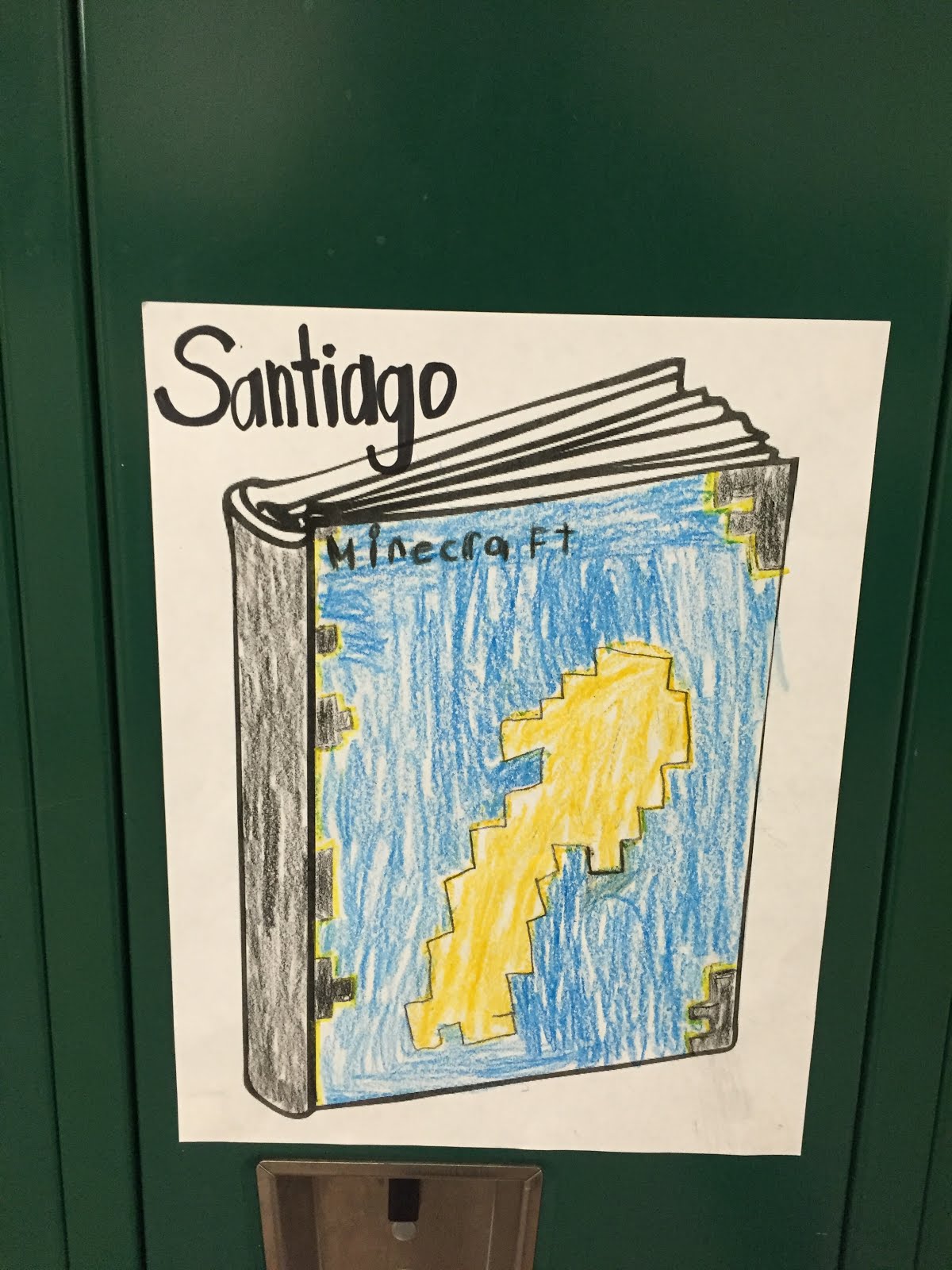
Step 2: Give your students ample time to draw and color the cover of their book on paper (try using this). 

Helpful Hint: Make this a big deal! I demonstrated drawing the cover of my favorite book and pointed out the different features to pay attention to--colors, sizes of words, sizes of pictures, etc.). 

Take a look at what my FIRST GRADERS did for this step...I mean maybe I am biased but this looks like upper elementary work to me. They worked SO hard...I am so proud #teartear . It is amazing what students will do when it relates to something in their life! Passion Project! 


I can't stop bragging about their work...it's just SO good!

Step 3: Record student videos. Use an iPad, iPhone, laptop, camera or any recording device for students to share their projects. My students said something along the lines of, "Hi my name is Miss Stasiak and my favorite book is _________. I chose this as my favorite book because _________. Someone else might enjoy this book because _____________." 

Step 4: Link videos to book covers using Aurasma. Using this app, you can turn your students book cover into a trigger (kind of like a QR code) so that when you scan the book cover with the app, their video will pop up! Other students in the school can watch the videos and learn about new books. This time of year is also great to do this project for parents to view during Parent Teacher Conferences. Aurasma is (simply put) SO COOL--if you have never checked it out, please take some time to do so! I'll try to post soon about other ways I incorporate it in my classroom (vocab lessons). 

Want to learn more about how to use Aurasma? This step-by-step youtube video is great.

Step 5: Post the books on lockers for all to see! You will want to let people know that the pictures on your lockers so something awesome, so here are two freebies for ya! 


Let me know how you use Aurasma in your classroom--or if you decide to celebrate March is Reading Month with this activity. I would love to hear about it! Spring and spring break are around the corner...fingers crossed for warmer weather :) Keep doing what you're doing and inspiring kids everywhere!

Happy, happy teaching!